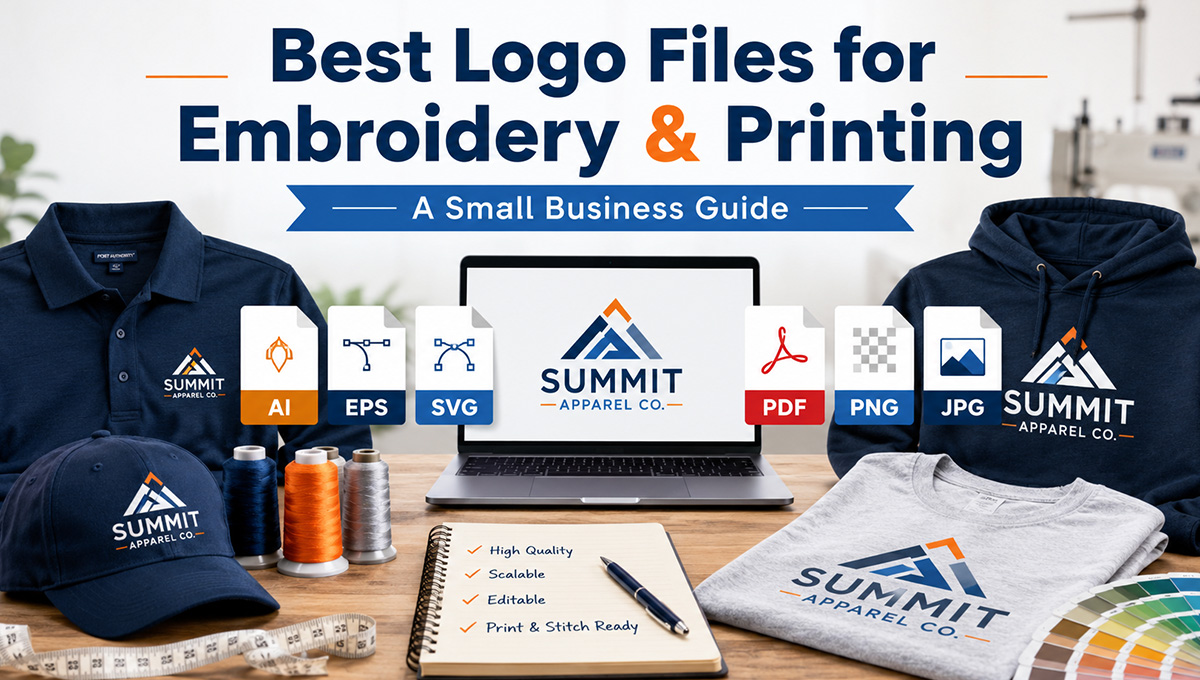
When a business is ready to order custom apparel, one of the first questions is usually simple: “Can you use my logo?” The answer is usually yes, but the quality and type of logo file you provide can make a big difference in how clean your finished embroidery or print looks.
Whether you are ordering custom embroidered uniforms, printed t-shirts, branded polos, custom hats, hoodies, jackets, or workwear, your logo file is the starting point. A clean file helps your decorator create sharper stitching, smoother print edges, better color separation, and a more professional final result.
This guide explains the best logo file types for custom embroidery and printing, what files may need cleanup, and what small business owners should send when requesting custom branded apparel.
Why Your Logo File Matters for Custom Apparel
A logo that looks good on a phone screen or website may not always be ready for embroidery or printing. Apparel decoration is different from digital use. Your logo has to be turned into a format that works on fabric, thread, ink, or transfer material.
For example, a detailed logo may look great on a business card but become too small or crowded when stitched on the left chest of a polo. A screenshot may look fine in an email but become blurry when enlarged for a full-front t-shirt print. A logo with thin lines, tiny lettering, shadows, or gradients may also need adjustment before production.
The goal is not just to “put the logo on a shirt.” The goal is to make your brand look polished, readable, and professional when your employees, crew, or team wear it in real life.
Best Logo File Types for Custom Embroidery
For embroidery, the best starting files are usually vector files or high-quality artwork files. These give the decorator the cleanest version of your logo before it is converted into an embroidery stitch file.
Best files to send for embroidery:
- AI – Adobe Illustrator file, often the best source file for logos
- EPS – common vector logo format used for print and production
- PDF – can be excellent if it contains vector artwork
- SVG – scalable vector format often used for logos and web graphics
- High-resolution PNG – usable when vector artwork is not available, especially with a transparent background
Vector files are preferred because they can be resized without losing sharpness. That is important when your logo needs to be adjusted for different apparel locations, such as a hat front, left chest, sleeve, jacket back, or full-front print.
If you have a professional logo package from a designer, look for files ending in .ai, .eps, .pdf, or .svg. Those are usually better than a JPG pulled from your website or a screenshot from social media.
What Is Logo Digitizing for Embroidery?
Embroidery is not the same as printing. A machine cannot simply read a JPG or PNG and stitch it perfectly. For embroidery, your logo has to be converted into a stitch file. This process is called logo digitizing.
Digitizing tells the embroidery machine how to sew the design. It controls stitch direction, stitch type, density, thread changes, underlay, and how the design will hold up on a specific garment.
This is why embroidery files are different from regular image files. A finished embroidery file may use formats such as DST, EXP, PES, or other machine-specific file types. However, most business owners do not need to provide those files unless they already have them. In many cases, you can send your best logo file, and the embroidery setup process prepares it for production.
Best Logo File Types for Screen Printing, DTF, and Digital Printing
Printing is more flexible than embroidery in some ways, especially for larger designs, full-color graphics, gradients, and detailed artwork. But file quality still matters.
Best files to send for printing:
- AI – best for editable vector artwork
- EPS – strong option for clean print production
- PDF – good if saved in high quality or vector format
- SVG – useful for clean vector graphics
- High-resolution PNG – good for transparent-background designs
- High-resolution PSD or TIFF – useful for some full-color artwork or photo-based designs
For screen printing, clean artwork helps with color separation and crisp edges. For DTF printing or digital printing, high resolution helps prevent blurry or pixelated results. If the design is going on the front or back of a shirt, the file usually needs to be much larger and cleaner than a small web logo.
If you are ordering custom t-shirts, hoodies, or printed apparel, send the largest and cleanest version of your logo or design that you have.
Can You Use a JPG Logo?
Sometimes, yes. A JPG can sometimes be used if it is large enough and clean enough. However, JPG files are not ideal for most professional apparel decoration because they are usually raster images, meaning they are made from pixels.
The problem with many JPG files is that they lose quality when enlarged. A small JPG from a website, email signature, invoice, or social media page may become fuzzy when printed or used for production artwork.
A JPG can also have a background box around it, which may not be what you want on apparel. For example, if your logo is black text on a white JPG background and you want it printed on a navy shirt, that white box may become a problem unless the artwork is cleaned up.
Can You Use a PNG Logo?
A PNG is often better than a JPG, especially if it has a transparent background. A transparent PNG can work well for mockups, proofs, and sometimes print production.
However, a PNG is still usually a raster file. That means it can still become blurry if it is too small. A PNG that is 300 pixels wide may look fine on a website but may not be good enough for a large t-shirt print.
If you only have a PNG, send the highest-resolution version available. Do not resize it smaller before sending it. The larger and cleaner the file, the better.
Vector vs. Raster: What Is the Difference?
The easiest way to understand logo files is to separate them into two groups: vector files and raster files.
Vector files
Vector files are made from paths, shapes, and mathematical points. They can be resized without losing quality. This makes them ideal for logos, business branding, custom apparel, screen printing, and embroidery setup.
Common vector file types include:
- AI
- EPS
- SVG
- Vector PDF
Raster files
Raster files are made from pixels. They can work well if they are high resolution, but they may blur or pixelate when enlarged.
Common raster file types include:
- JPG
- PNG
- TIFF
- PSD
For most business logos, a vector file is the best file to send. If you do not have one, send the largest PNG or JPG you have, and your decorator can let you know whether cleanup is needed.
Why Some Logos Need to Be Adjusted for Embroidery
Embroidery has physical limits because the logo is being created with thread. Thread has thickness. Fabric moves. Small lettering can fill in. Thin lines may disappear. Gradients and shadows cannot always be stitched exactly like they appear on a screen.
This does not mean your logo cannot be embroidered. It means the design may need to be simplified or adjusted so it looks better when stitched.
Common embroidery adjustments include:
- Making small text larger
- Removing tiny details that will not stitch cleanly
- Simplifying gradients or shadows
- Increasing line thickness
- Changing very small lettering to a cleaner layout
- Reducing colors when needed
- Creating a separate version for hats or left chest placement
This is especially important for custom embroidered hats, because the decoration area is smaller and the curved surface can make tiny details harder to reproduce. A logo that works on the back of a hoodie may need a cleaner version for a cap.
Best Logo Files by Apparel Type
Different apparel items require different decoration decisions. Here is a simple guide for business owners.
Custom embroidered polos
For polos, the most common placement is the left chest. A clean vector logo or high-resolution PNG is best. If your logo has small text underneath the main mark, it may need to be enlarged or removed for better readability.
Custom embroidered hats
Hats usually need the cleanest and simplest version of your logo. Bold shapes, strong lettering, and simplified artwork work best. Tiny details, thin outlines, and long taglines may not stitch well on a cap front.
Custom t-shirts
T-shirts are more flexible because they can be printed with larger artwork. Vector files are still best, but high-resolution PNG files can also work well for DTF or digital printing.
Custom hoodies and sweatshirts
Hoodies are great for larger front or back prints, sleeve prints, and embroidered left chest logos. For large prints, send high-resolution artwork. For embroidery, send vector artwork when possible.
Custom jackets and workwear
Jackets often use left chest embroidery, sleeve embroidery, or larger back decoration. Because jacket fabrics can vary, clean and bold artwork is usually best.
Logo File Checklist Before Ordering Custom Apparel
Before you request a quote or send your logo for custom apparel, use this simple checklist:
- Send the highest-quality logo file you have
- Look for AI, EPS, SVG, or vector PDF files first
- If you do not have vector artwork, send the largest PNG available
- Avoid screenshots whenever possible
- Send brand colors if you have them
- Mention where the logo should go: left chest, hat front, sleeve, back, etc.
- Tell us what apparel you need: polos, hats, t-shirts, hoodies, jackets, or uniforms
- Include your estimated quantity
- Include your deadline if the order is time-sensitive
What If You Do Not Have the Right Logo File?
Many small businesses do not have a perfect logo file ready. That is common. Sometimes the only available file is a JPG from a website, a PNG from Canva, or a screenshot from an old invoice.
If that is all you have, send it anyway. The file may still be usable, or it may simply need cleanup, redraw, or preparation before embroidery or printing.
The important thing is to start with the best version available. Do not compress it, crop it, screenshot it again, or send a smaller copy if you have access to the original.
How a Better Logo File Helps Your Brand Look More Professional
Your custom apparel represents your business in front of customers, employees, vendors, and the public. Clean logo files help create clean apparel. That means sharper embroidery, better print quality, more readable lettering, and a stronger first impression.
For small businesses, branded apparel is more than clothing. It helps your team look organized, builds recognition, and gives customers confidence that they are dealing with a professional company.
Whether you need uniforms for a service business, polos for office staff, hats for a crew, shirts for an event, or hoodies for your team, the right logo file helps everything come together.
Need Help Getting Your Logo Ready for Custom Apparel?
If you are not sure whether your logo file is ready for embroidery or printing, Custom 2 Wear can help. Send the best logo file you have, along with the apparel items you are considering, and we can help determine the best decoration method for your order.
From embroidered polos and hats to printed t-shirts, hoodies, jackets, and business uniforms, we help businesses turn their logo into professional branded apparel that looks sharp and works in the real world.
Ready to get started? Contact Custom 2 Wear to discuss your custom embroidery or printing project.
Frequently Asked Questions About Logo Files for Custom Apparel
What is the best logo file for custom embroidery?
The best logo files for custom embroidery are usually AI, EPS, SVG, or vector PDF files. These files give the decorator clean artwork that can be resized and prepared for embroidery digitizing.
Can you embroider from a JPG file?
Sometimes a JPG can be used, but it depends on the size and quality of the file. A small or blurry JPG may need cleanup or redrawing before it can be digitized for embroidery.
Is a PNG good enough for custom apparel?
A high-resolution PNG with a transparent background can often work for printing and may be useful for embroidery setup. However, a vector file is still preferred when available.
What does it mean to digitize a logo for embroidery?
Digitizing means converting a logo into stitch instructions for an embroidery machine. It controls stitch direction, density, thread changes, and how the design will sew on fabric.
Why does my logo need to be simplified for embroidery?
Small text, thin lines, shadows, gradients, and tiny details may not stitch cleanly with thread. Simplifying the logo can make the final embroidery cleaner and easier to read.
What file should I send for screen printing?
For screen printing, vector files such as AI, EPS, or vector PDF are best. High-resolution artwork can also work depending on the design and print method.
What file should I send for DTF printing?
For DTF printing, a high-resolution PNG with a transparent background is often useful. Vector artwork is also excellent if available.
Can I send a screenshot of my logo?
A screenshot is usually not ideal because it is often low resolution. If it is the only file you have, it can be reviewed, but a higher-quality logo file will usually produce better results.
Do I need to provide an embroidery machine file?
Most customers do not need to provide an embroidery machine file. You can usually send your best logo file, and the artwork can be prepared for embroidery production.
What should I send with my logo file?
Send your logo, preferred apparel items, logo placement, estimated quantity, brand colors if available, and any deadline you are working toward.